
See it do the job, tier by tier
Every screenshot below is the actual app, driven live — a real member record, a real expense transaction, a real answer computed by Smart Insights. Nothing staged, nothing seeded.
Essentials
Buy Essentials — $99Equipment tracking and member management for an organisation that doesn't need a finance system built in — a sports club, a youth group, a small volunteer unit keeping a gear register and a member list.
Sign in
Open the app → select a name → enter the 4-digit PIN.
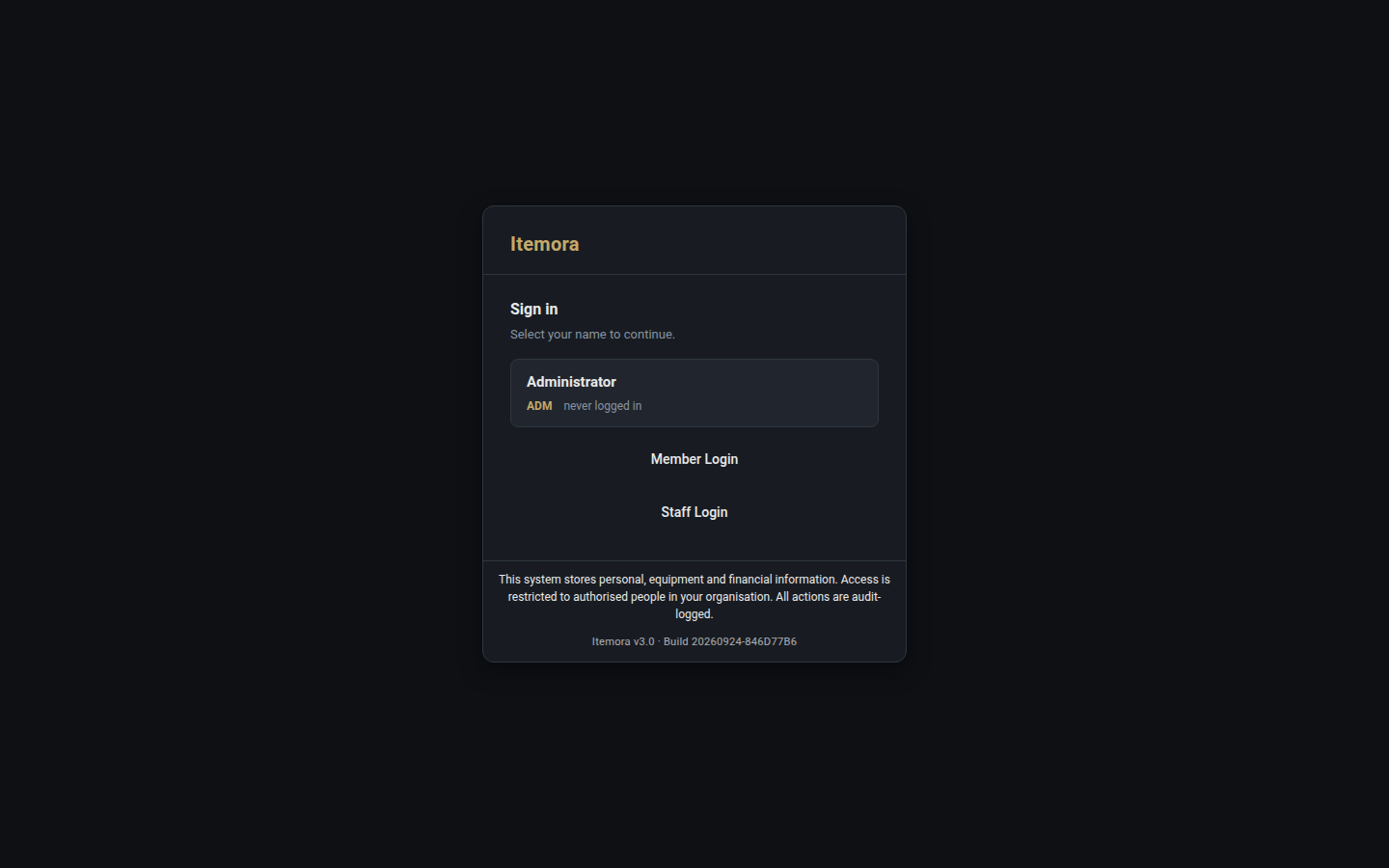
Administrator, Member Login and Staff Login are all offered from the same screen — no separate login page for staff to fall back to a flat list.
Activate the licence
Settings → Subscription → paste the key → Activate key → reload the page.
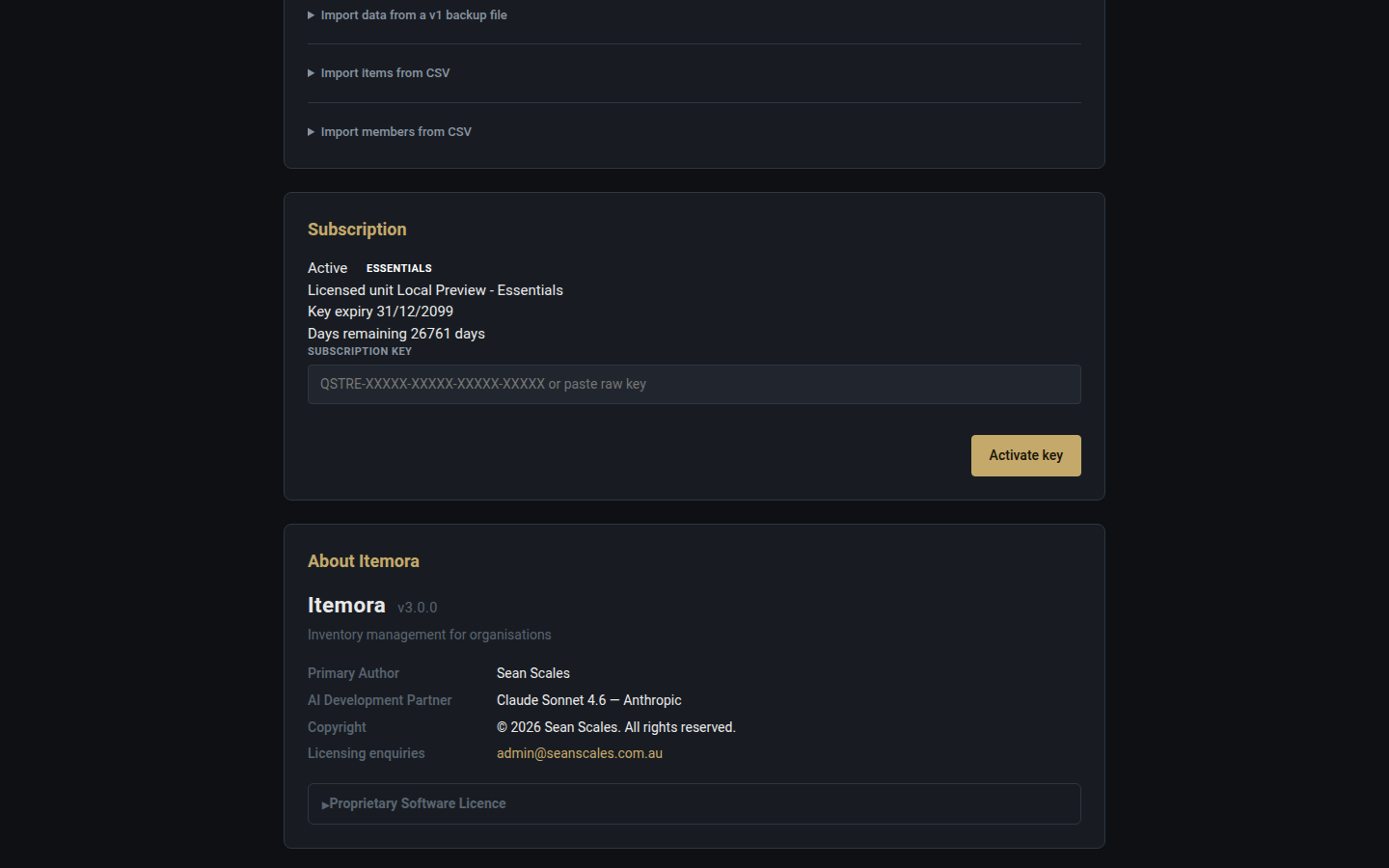
The plan badge names the actual tier — Essentials, Complete or Assurance — instead of leaving you to guess what you're on.
Add a member — with a real job title
Members → + Add member → enter name, ID and job title → Save.
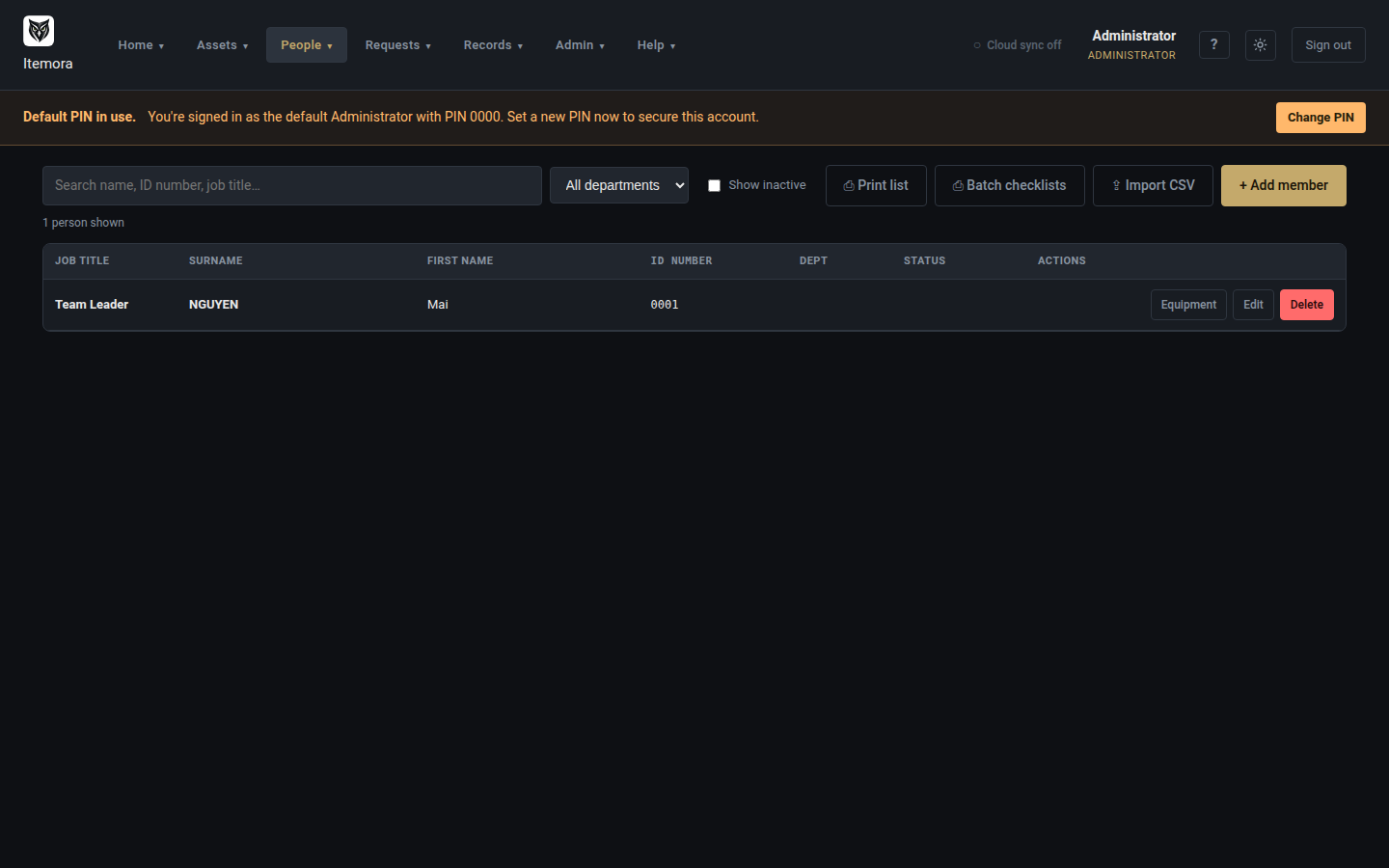
"Team Leader" — a free-text civilian job title, not a rank. Any volunteer or community organisation can use this field for what they actually call the role.
Confirm the boundary
Open the nav menu and look for Finance and Smart Insights.
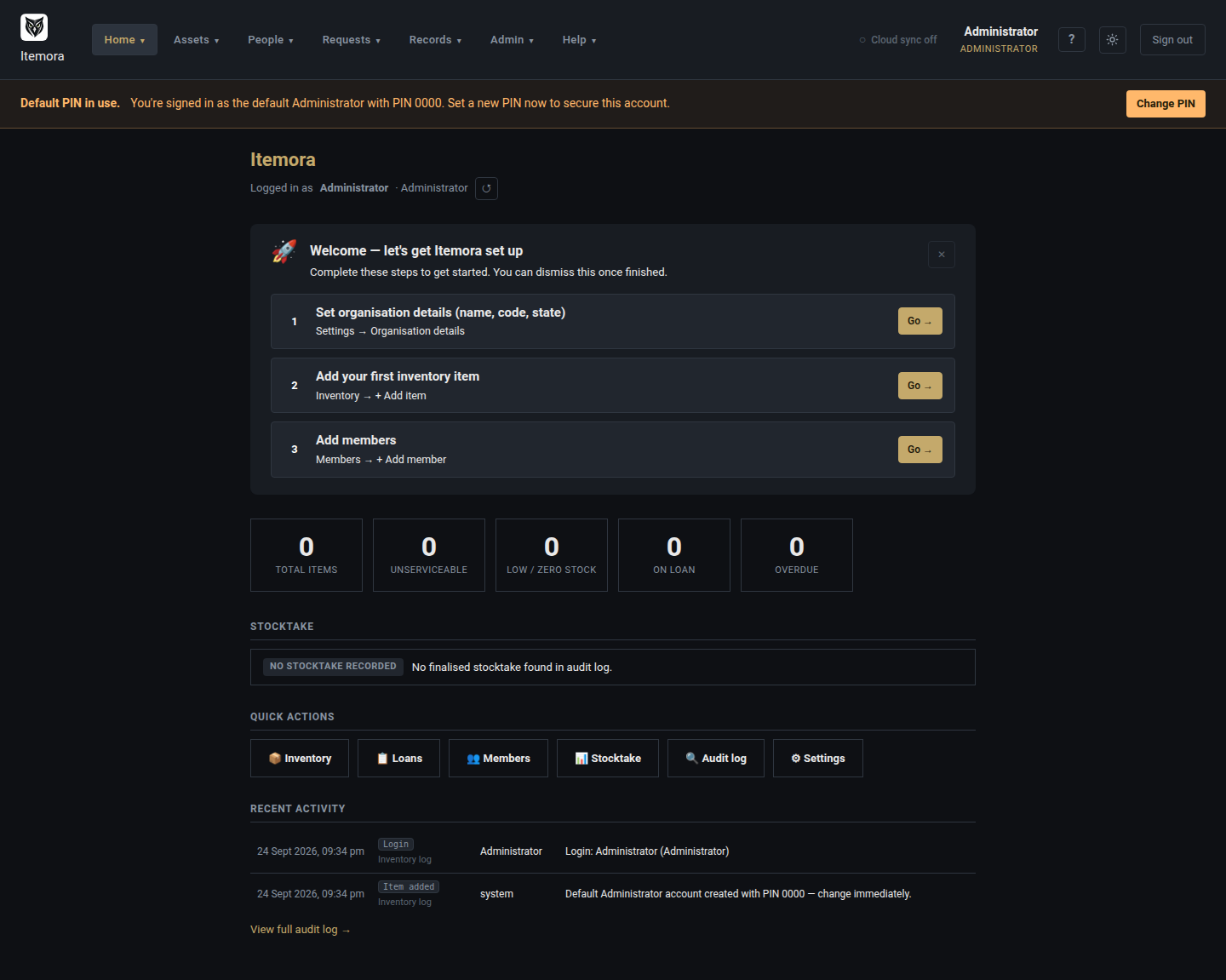
Finance and Smart Insights aren't hidden behind a paywall you could talk your way around — the routes themselves don't exist for this licence, checked in code, not just in the price list.
Complete
Buy Complete — $199Everything in Essentials, plus a full finance module — transactions, invoices, purchase orders, budgets, bank reconciliation, accounts and suppliers.
Activate Complete
Same activation flow, a different key.
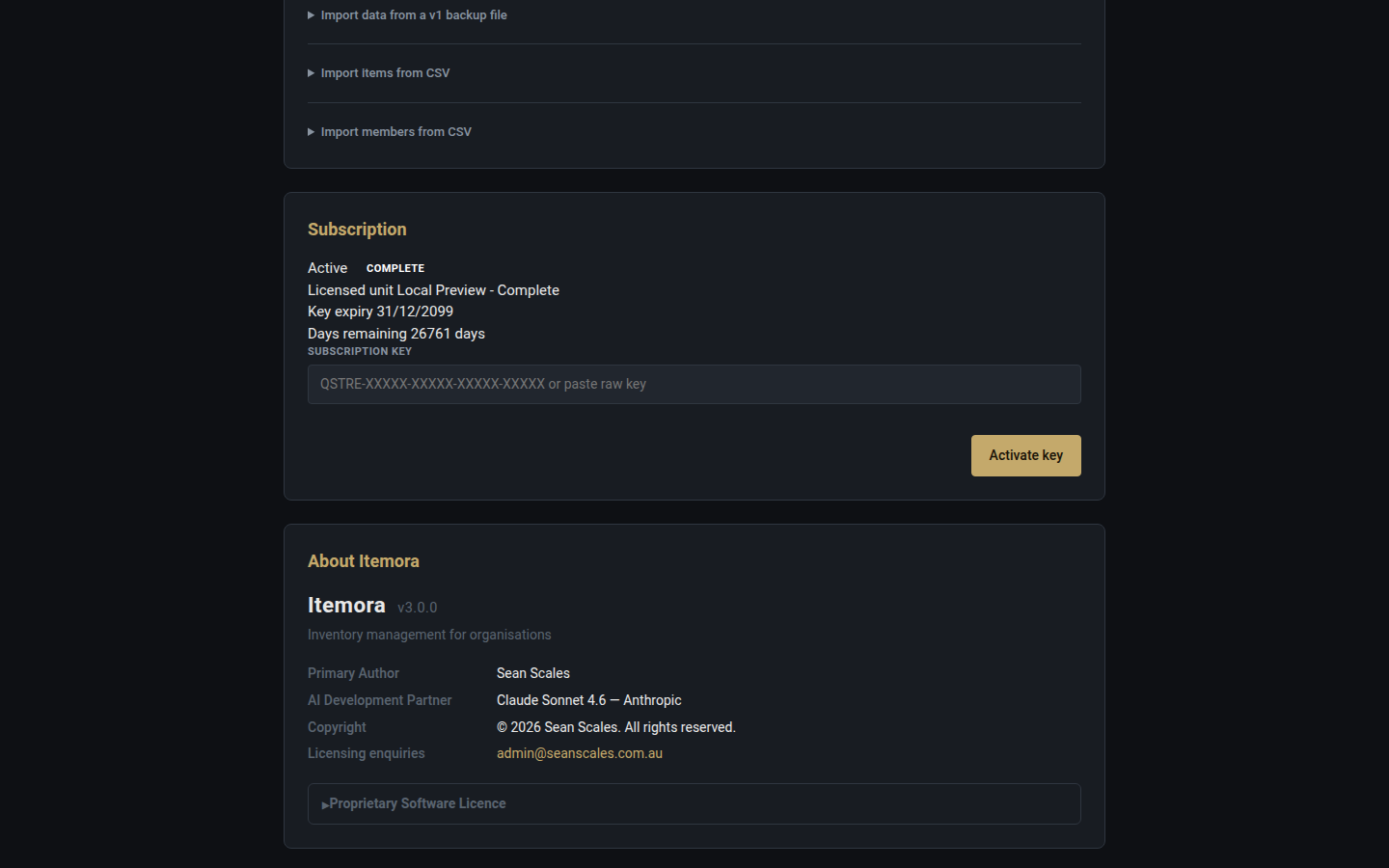
The badge now reads Complete — the only thing that changed is which key was pasted in.
Finance appears in the nav
Reload after activating — the nav is rebuilt from the new licence.
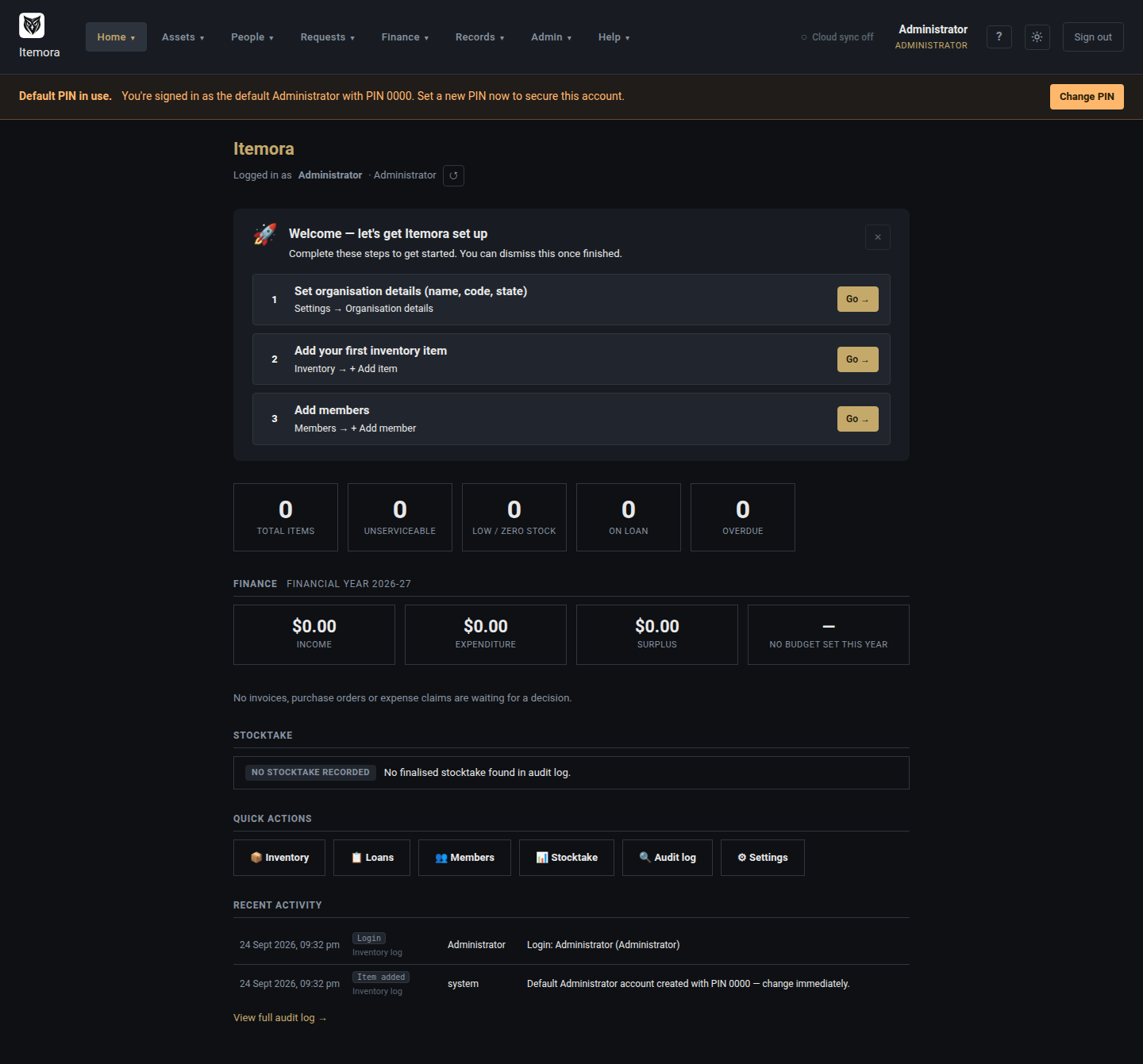
Finance is now reachable. Smart Insights still isn't — Complete adds the finance module and nothing else, exactly as priced.
Record a real expense
Finance → Transactions → + Add Transaction → enter account, description and amount → Save.
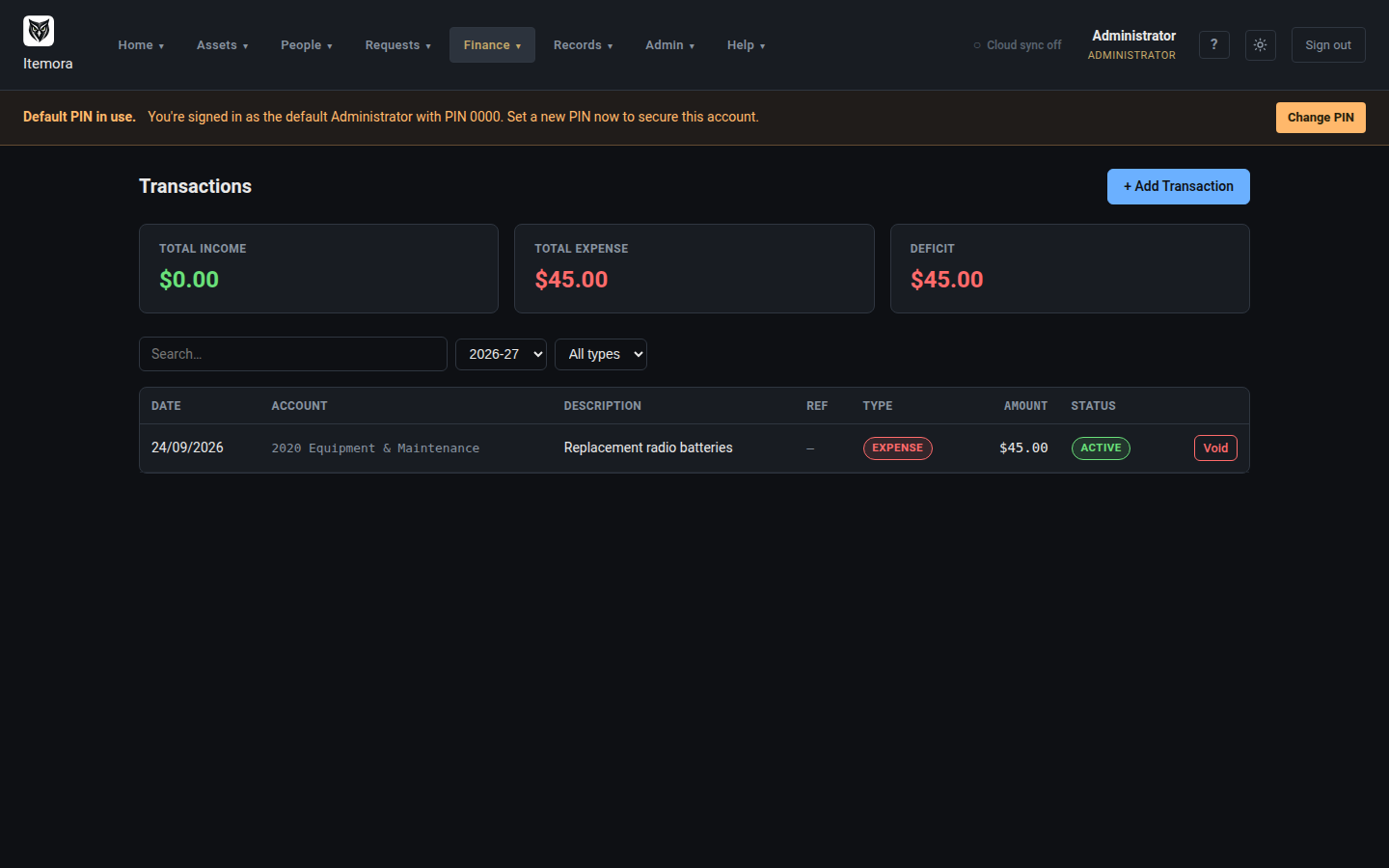
A real expense against "Equipment & Maintenance", and the income/expense/deficit tiles update immediately — the same live arithmetic a treasurer would use to close out a financial year.
Assurance
Buy Assurance — $299Everything in Complete, plus Smart Insights — plain-English answers about inventory and finance, computed entirely on the device.
Activate Assurance
Same flow again.
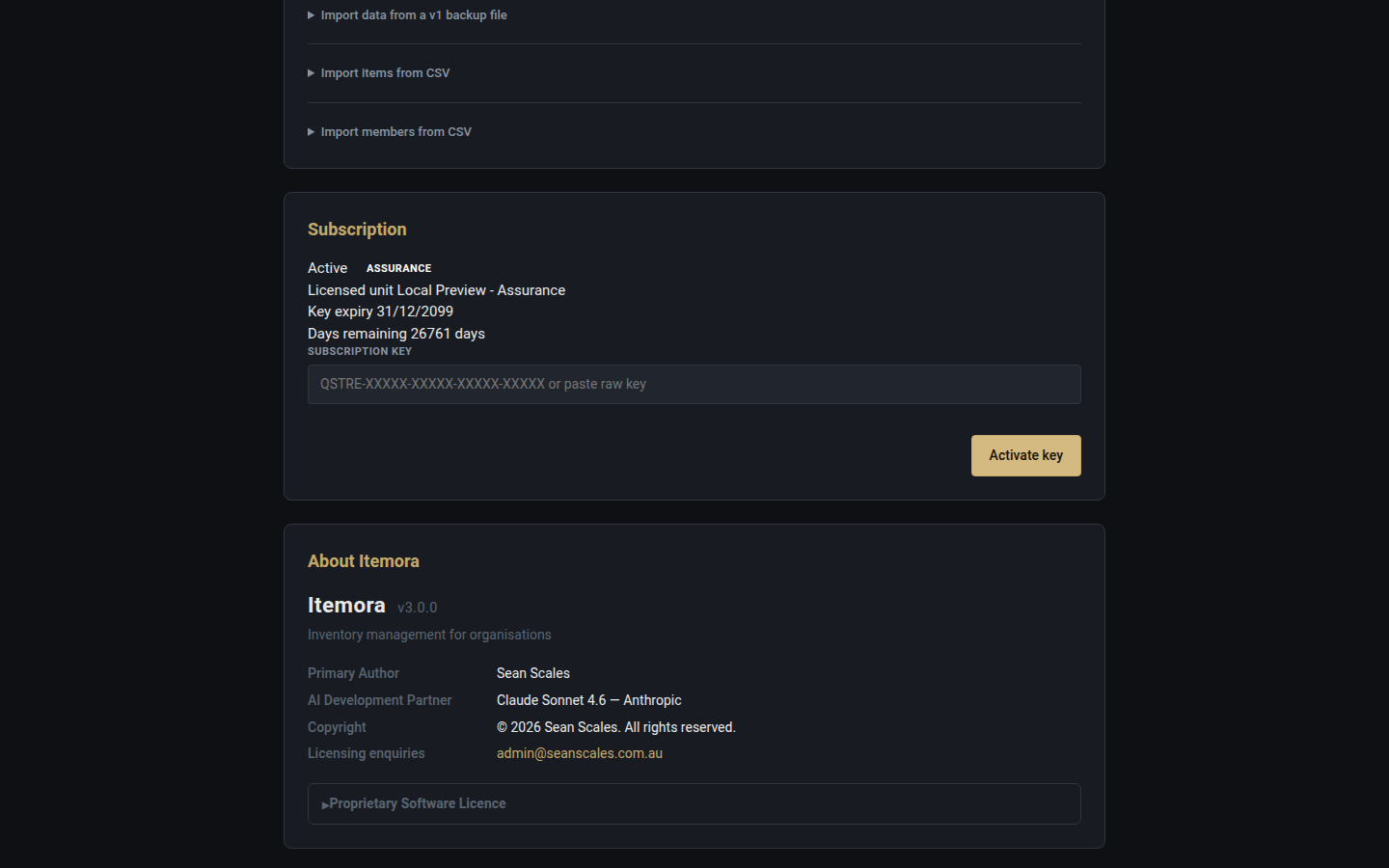
Assurance active.
Both groups present
The nav, and the Home dashboard, both reflect the full licence.
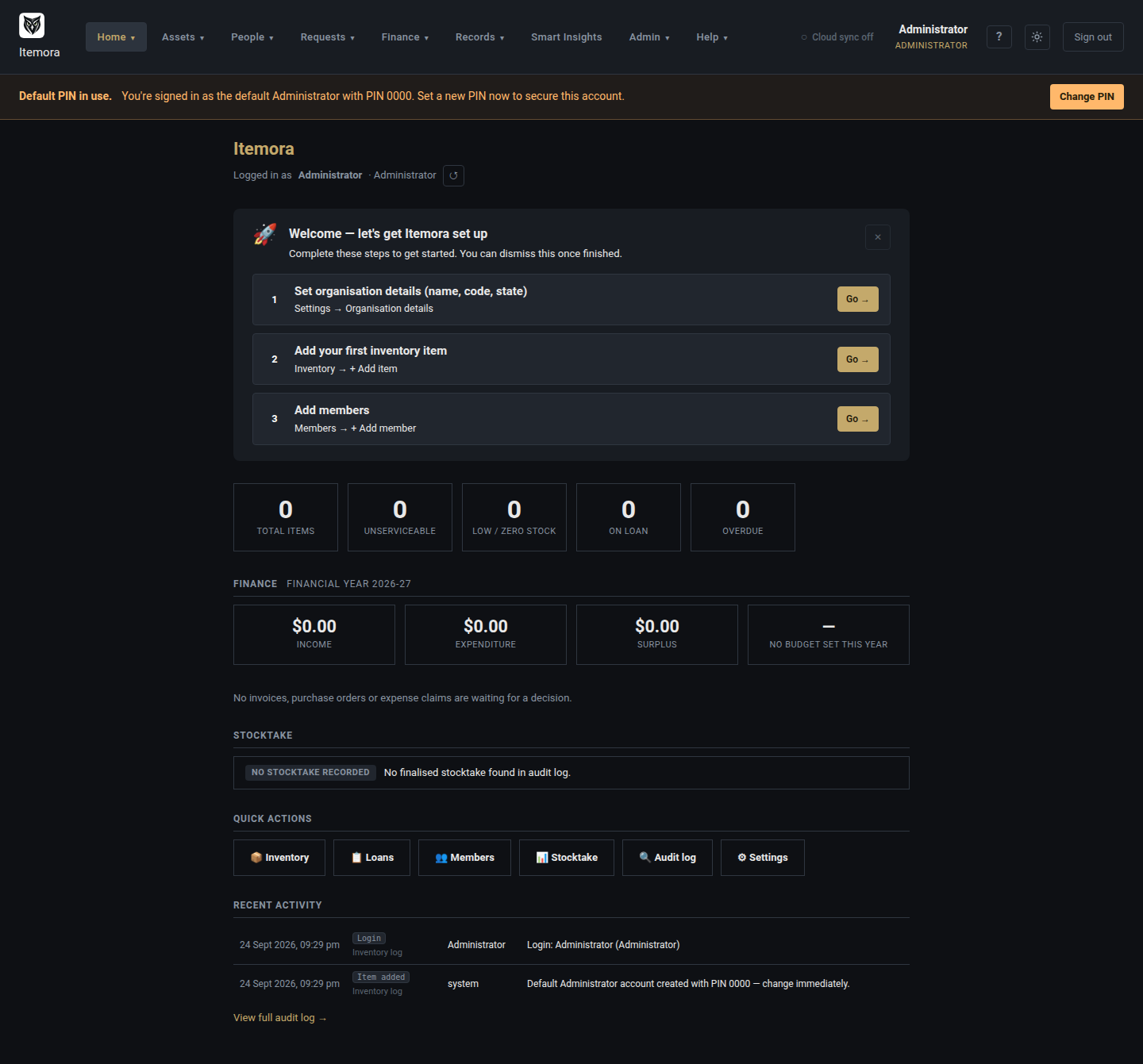
Finance and Smart Insights are both reachable, and Home shows a Finance summary panel alongside the inventory tiles.
Add an item Smart Insights can talk about
Assets → Inventory → + Add item → set on-hand quantity low enough to trigger a real answer.
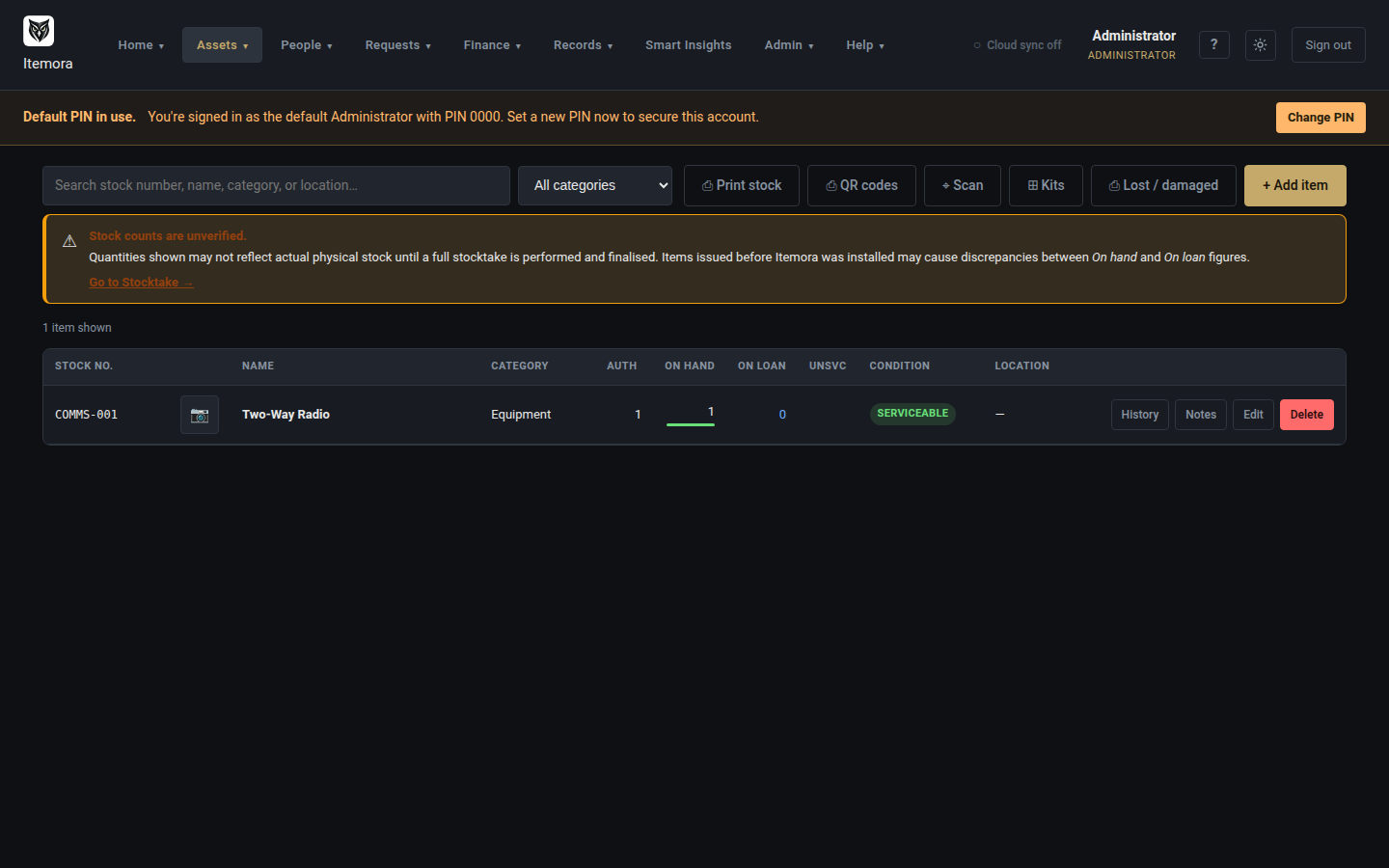
Low stock by the app's own threshold, so there's something real for the next step to find.
Open Smart Insights
AI → Smart Insights.
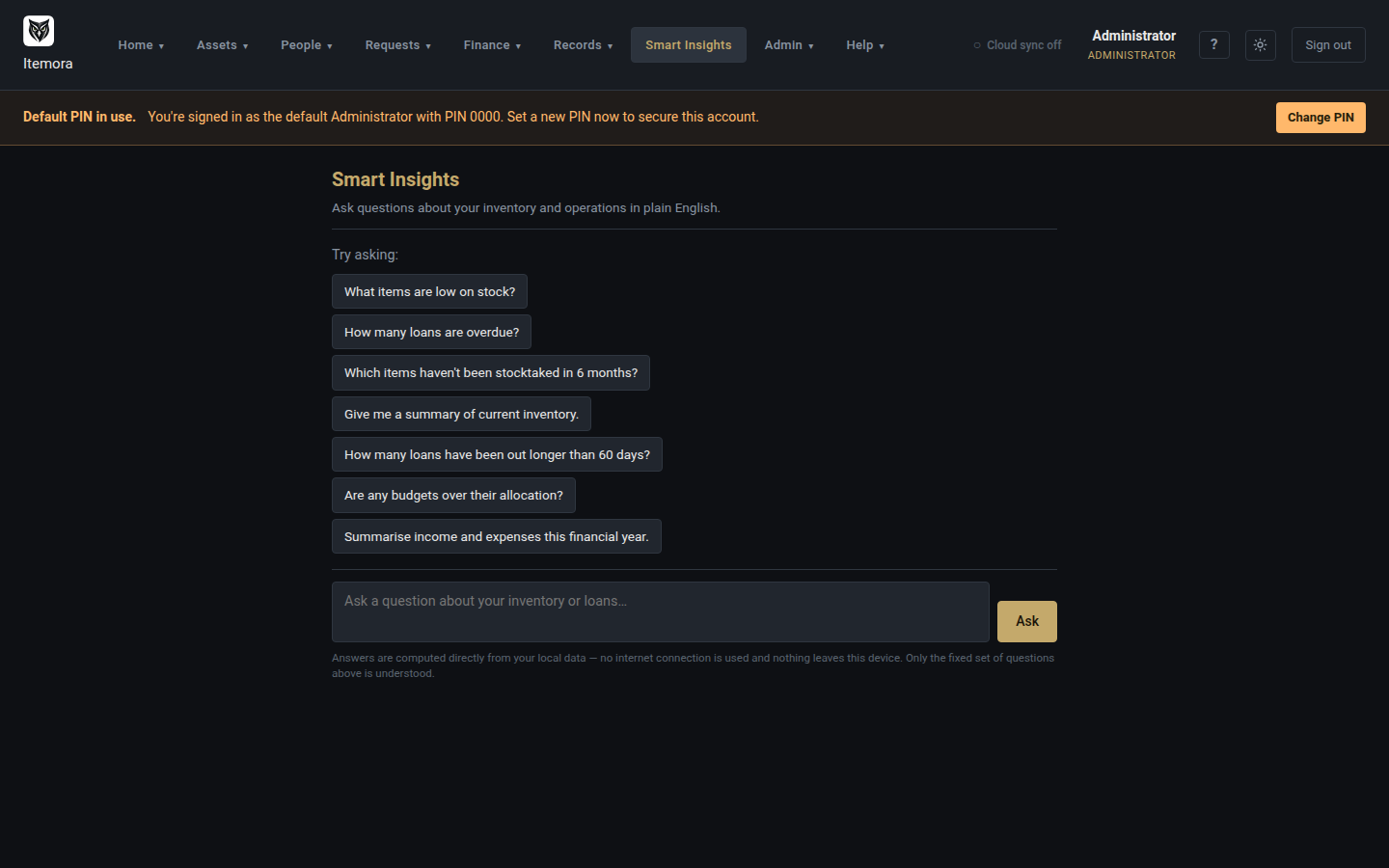
Ready-made questions, and a disclaimer that means it: no internet connection is used, and only this fixed set of questions is understood.
Ask it, and get a real answer
Click "What items are low on stock?"
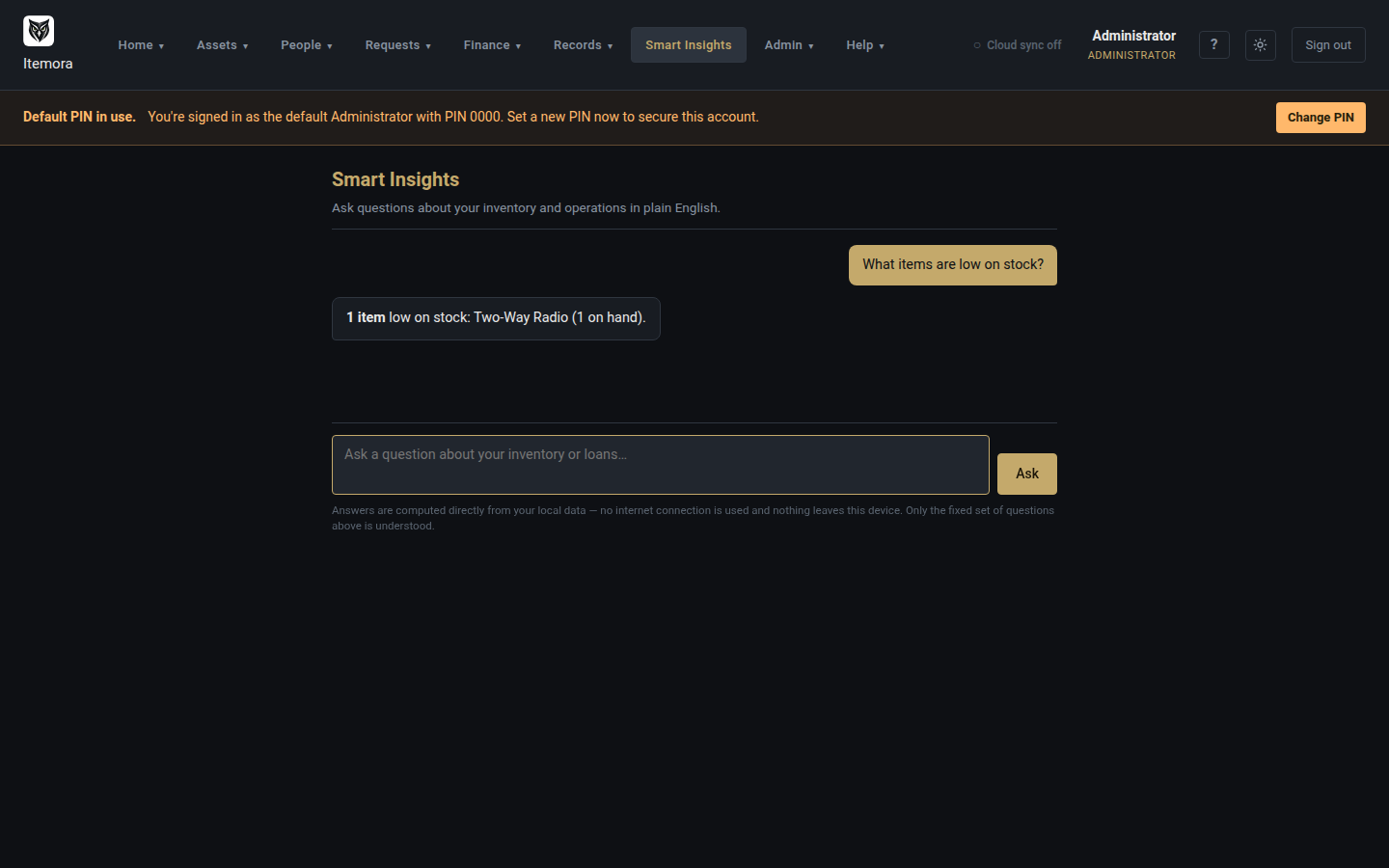
Computed from the item added two steps ago, on this device, with no network request made. This is what Assurance customers are actually paying for.
Every tier, compared
| Feature | Essentials | Complete | Assurance |
|---|---|---|---|
| Equipment & inventory tracking | ✓ | ✓ | ✓ |
| Member management, CSV import | ✓ | ✓ | ✓ |
| Administrator, Member & Staff logins | ✓ | ✓ | ✓ |
| Finance — transactions, invoices, budgets, reconciliation | — | ✓ | ✓ |
| Smart Insights — offline, plain-English answers | — | — | ✓ |
| Price to own | $99 | $199 | $299 |
A one-off purchase, not a subscription: the price to own is paid once, and the licence key never expires and covers the edition you bought.
Ready to Improve Accountability?
Join organisations that are replacing spreadsheets and uncertainty with a modern operational accountability platform.
Use everything in your edition straight away — a temporary key is emailed within minutes of download. 14-day refund if it isn't suitable.